By Claire Whitaker
Updated November 2026
A dual prong headphone adapter lets you plug standard wired headphones into a seat that has two separate pins instead of a single jack. In this guide you will learn how to tell whether your seat needs one, how to match the adapter to your headphones, and how to connect it without losing sound on one side.
Check Whether Your Seat Needs a Dual Prong Adapter
Most airline armrests use a two-prong or three-prong output rather than a standard 3.5 mm jack. Look closely at the socket: if you see two metal pins in a row, or two separate plugs around the rim, you need an adapter that accepts a 3.5 mm plug on one end and two prongs on the other. Some seats use a single pin with a separate ground ring. Those are a different connector, so check before you buy.
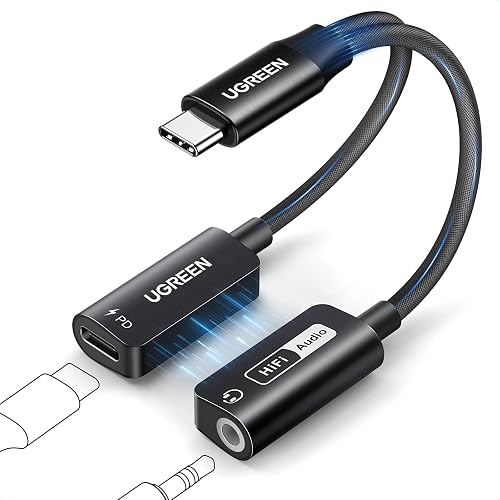
Shopping for one? See our guide: USB C Dual Headphone Adapter Review: Features and Performance.
Match the Adapter to Your Headphones
Dual prong adapters are sold with two basic designs. The first is a passive adapter, which only rewires the connector and works with most standard headphones. The second includes a small circuit that boosts volume, which can help with low-impedance models that sound quiet on older seat outputs. Check the adapter’s listed compatibility, then confirm your headphone cable uses a standard 3.5 mm plug. Wireless or USB-only headphones will not connect through this type of adapter.
Connect the Adapter Step by Step
- Plug the 3.5 mm end of the adapter into your headphone cable and push until it clicks or feels fully seated.
- Locate the seat’s two-prong socket and align the adapter’s prongs with the two openings.
- Press straight in with even pressure. Angled insertion can bend the pins or leave one side disconnected.
- Turn the in-flight volume to a low setting before you start playback, then raise it slowly.
- Play a stereo track and listen to both earcups. If one side is silent, pull the plug out, rotate it 180 degrees and try again.
Troubleshoot Common Connection Problems
If the audio is mono, crackly or quiet, the prongs are usually not seated fully or the seat socket is dirty. Wipe the prongs with a dry cloth, reseat the adapter and try a different seat if the problem continues. Mono sound on one side often means the adapter is partly inserted. Quiet audio on a low-impedance headphone may be fixed by switching to an adapter with a built-in amplifier.
| Seat socket type | Adapter needed |
|---|---|
| Two pins in a row | Dual prong adapter |
| Single 3.5 mm jack | Standard headphones, no adapter |
| USB-C or Lightning only | Not a dual prong situation |
Common Mistakes to Avoid
- Buying an adapter without confirming the seat uses two prongs rather than a single jack.
- Forcing the plug at an angle, which can bend the pins.
- Starting playback at full volume, which can cause sudden loud sound.
- Assuming every dual prong adapter works with wireless headphones.
- Leaving the adapter loose in a bag where the prongs can get damaged.
Recommended Gear
A dual prong headphone adapter with a small protective cap helps keep the prongs straight in a carry-on bag. View on Amazon
A short 3.5 mm extension cable can help when the seat socket sits deep in the armrest and the adapter is hard to reach. View on Amazon
FAQ
Will a dual prong headphone adapter work with any headphones?
It works with any headphones that use a standard 3.5 mm plug. Wireless or USB-only models need a different connection method.
Why is only one side of my headphones playing?
The adapter is usually not fully seated or is rotated the wrong way. Pull it out, reinsert it straight and try again.
Do I need a powered adapter for airplane headphones?
Most standard headphones work with a passive adapter. A powered version is worth considering only if your headphones sound very quiet on the seat output.
Conclusion
A dual prong headphone adapter is a simple fix once you confirm your seat uses two prongs and match the adapter to your headphone cable. Insert it straight, start at low volume and check both sides before settling in. Keeping the prongs clean and the adapter protected will help it last across many trips.
Related reading
- Two Prong Headphone Adapter: 7 Best Picks for Airline Flights (2026)
- Dual Headphone Adapter for iPhone: 6 Best Picks for Every Need (2026)
- Airline Headphone Adapter 3 Prong: How to Choose and Use One
Ready to choose one?
About Claire Whitaker
Claire Whitaker is part of our editorial team and reviews and edits our headphone comfort & accessories + gaming headsets guides, checking product details against manufacturer specifications and owner feedback.