By Colin Foster
Updated November 2026
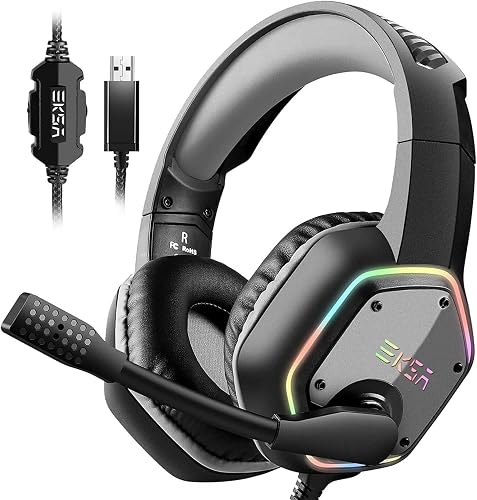
The best gaming headset PC cheap buyers can find is the one that fits your head, picks up your voice clearly and delivers decent sound for the games you actually play. You do not need premium pricing to get all three. This guide walks through the factors that matter most so you can compare budget models with confidence and avoid paying for features you will never use.
Start With Comfort and Fit
Comfort decides whether you keep a headset on for a three-hour session or take it off after twenty minutes. Check the headband clamp force first, since many budget models clamp harder than owners expect. Earpads matter just as much. Memory foam pads with a soft fabric or leatherette cover usually feel better than thin vinyl, and replacement pads are often sold separately if the stock ones wear out. If you wear glasses, look for shallow earcups or pads that stay thin at the edges so the temples do not press into your head.
Shopping for one? See our guide: 5 Best Headset Gamings for PC Picks for Every Setup in 2026.
Evaluate the Microphone Before the Sound
Teammates hear your mic far more often than you hear the soundstage in your own headphones, so the boom mic deserves close attention. A cardioid or noise-cancelling boom that you can position about one finger’s width from the corner of your mouth tends to capture voice cleanly. Detachable mics are useful because a cable-free setup lets you swap in a replacement later. Ask yourself whether the mic is simply functional or whether reviewers and owners mention it as clear, and treat vague mic complaints as a warning sign.
Check Connection and Compatibility for PC
Most budget gaming headsets use a 3.5 mm plug, USB, or a 3.5 mm plus a separate mic jack. A USB headset often includes its own sound card and simulated surround, which can be handy on a PC. A standard 3.5 mm headset needs a motherboard or sound card with both a headphone and a mic input, and many desktops have separate ports for each. If your motherboard has only a combo jack, you may need a splitter, which our 6 Best Headphone Jack Adapters for PC Splitters for Gaming Headsets (2026) guide covers in detail. Confirm the connector type before you order, because mismatched jacks cause more returns than almost anything else.
Look at Sound Tuning and Extras
For competitive shooters, clear directional audio and a balanced mid range matter more than deep bass. Open-back designs sound more natural but leak sound and offer less isolation, while closed-back designs block room noise and are generally better for shared spaces. Virtual surround is a feature to test rather than trust: some listeners find it helpful, others find it muddy. If you want a broader view of what to expect at different spending levels, Budget Friendly Gaming Headset: 6 Best Picks Compared (2026) shows how these trade-offs play out across several models.
Common Mistakes to Avoid
- Buying on driver size or “7.1 surround” claims alone without checking comfort and mic reviews.
- Ignoring the connector type and discovering after delivery that your PC has no separate mic jack.
- Choosing a closed-back model without considering heat buildup during long sessions.
- Skipping a return window, which is worth checking before you commit.
- Assuming a headset will fix a poor mic position, when a small adjustment often helps more.
Recommended gear
A splitter or adapter makes a combo-jack PC work with a separate-plug headset. View on Amazon
Replacement earpads can make an older budget headset feel new again and are often easier to find than a whole new headset. View on Amazon
A small headset stand keeps the headband off your desk and makes it easy to grab your headset between sessions. View on Amazon
FAQ
Is a cheap gaming headset good enough for PC?
Yes, for most players a budget model covers comfort, voice chat and game audio well enough. The trade-offs usually show up in build materials, mic polish and sound detail rather than basic function.
Do I need a USB headset for PC gaming?
No. A 3.5 mm headset works on most PCs if you have both a headphone and mic input. USB headsets are convenient when your motherboard has only a combo jack.
How can I tell if a headset will be comfortable?
Read owner comments about clamp force and long-session comfort, and check whether replacement earpads are available. Those details tell you more about daily comfort than a spec sheet does.
Conclusion
The best gaming headset PC cheap choice balances comfort, a clear mic and sound that suits your games. Start with fit and the mic, confirm your PC’s connector type, and only then compare sound extras. Check return policies before you buy so you can test the headset in your own setup.
Related reading
- Recommended Gaming Headset PC: 5 Best Picks Compared for 2026
- Pc Gaming Headset Best: 5 Best Picks Compared for Every Setup (2026)
Ready to choose one?
About Colin Foster
Colin Foster is part of our editorial team and reviews and edits our headphone comfort & accessories + gaming headsets guides, checking product details against manufacturer specifications and owner feedback.