By Colin Foster
Updated November 2026
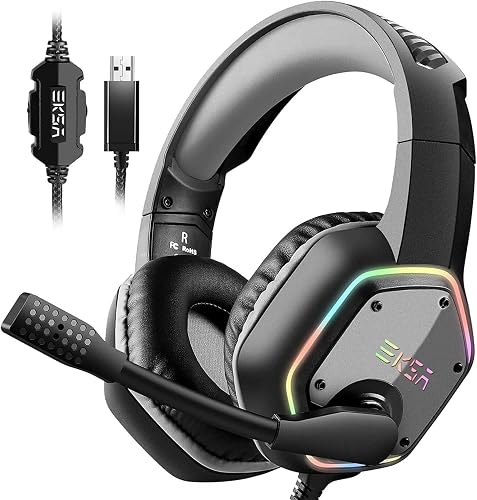
The best headset without mic for gaming is the one that sounds clear, fits your head comfortably for long sessions and connects reliably to your platform. This guide walks you through choosing a headset that skips the boom mic, so you can focus on audio quality and comfort rather than paying for a feature you won’t use. Most of the work comes down to matching the headset to how you play.
Step 1: Confirm You Really Don’t Need a Mic
Before you shop, decide whether you’ll ever want to talk to teammates. Solo players, single-player gamers and people who already use a separate desk mic often don’t. If you do want voice chat sometimes, a headset with a detachable boom mic gives you both options. For a fuller comparison of setups, see Gaming Headset No Microphone: 5 Ways to Use One Without Losing Voice Chat (2026).
Shopping for one? See our guide: 3 Best Gaming Headset Without Microphones for Solo Players (2026).
Step 2: Choose the Connection Type That Fits Your Setup
Connection type affects latency, battery life and how many devices you can use. Wired headsets with a 3.5 mm plug work across PCs, consoles and phones, though a console or PC may need an adapter for the right audio output. Wireless headsets remove cable clutter but need charging. Review Wireless Headset vs Wired Gaming: Which Should You Choose? (2026) to weigh the tradeoffs.
Step 3: Check Comfort and Fit
Comfort matters more than most specs once you’re several hours into a session. Look at these factors:
- Clamping force: Manufacturers often list clamp values in newtons. Lower clamp force feels gentler, but very loose headsets can slip during movement.
- Ear pad material: Memory foam with soft leatherette or fabric covers is common. Breathable fabric helps in warm rooms.
- Headband padding and weight: Lighter headsets reduce pressure on the top of the head.
- Ear cup depth: Deep cups keep your ears from touching the driver area, which helps larger ears.
Step 4: Compare Sound Features That Matter for Gaming
Without a mic to worry about, put your attention on the drivers and tuning. Look for a clear, balanced sound signature where footsteps and environmental cues stand out without harsh highs. Virtual surround features can help with directional audio, though results vary by game and by person. Some players prefer stereo for its natural soundstage. Try to find reviews from owners who play the same genres you do, and be wary of any single rating that doesn’t explain its testing conditions.
Quick Checklist Before You Buy
- Confirm the headset works with your platform (PC, console, phone).
- Check whether a 3.5 mm adapter or USB dongle is included or needed.
- Note the expected battery life if it’s wireless.
- Review the ear pad and headband materials for your climate.
- Look for a warranty and replacement pad availability.
Common Mistakes to Avoid
- Buying a headset that lacks a compatible connection for your console or PC.
- Ignoring fit and assuming sound quality will make up for discomfort.
- Overlooking replacement ear pads, which wear out over time.
- Choosing a wireless model without checking charging habits you can live with.
- Expecting a headset without a mic to work for voice chat through the same jack.
Recommended Gear
A spare set of replacement ear pads can extend the life of a headset you like, especially if the originals start to flatten. View on Amazon
A simple headset stand keeps your headphones off the desk and away from tangled cables. View on Amazon
FAQ
Can I use a headset without a mic on a console?
Yes, but you’ll need to confirm the headset’s connection works with your console. Some consoles require a specific adapter or controller jack to output audio correctly.
Are wireless headsets better for solo gaming?
Wireless headsets offer more freedom of movement and less cable clutter. Wired models avoid charging and can have lower latency, so the better choice depends on your room and habits.
How do I know if a headset will be comfortable for long sessions?
Check the clamp force, ear pad material and weight, and look for owner feedback about comfort after several hours. If possible, test the fit in person before buying.
Conclusion
Start by deciding whether you need a mic at all, then match the connection type to your platform. Prioritize comfort and fit, since they affect every session. With those three choices made, the best headset without mic for gaming for your setup becomes much easier to identify.
Related reading
- Gaming Headset Best Mic Quality: 6 Factors That Matter (2026)
- What's a Good Gaming Headset? 7 Best Picks Compared for 2026
- Top 4 Computer Gaming Headset Microphone Options for Every Setup
- Recommended Gaming Headset PC: 5 Best Picks Compared for 2026
Ready to choose one?
About Colin Foster
Colin Foster is part of our editorial team and reviews and edits our headphone comfort & accessories + gaming headsets guides, checking product details against manufacturer specifications and owner feedback.