By Colin Foster
Updated November 2026
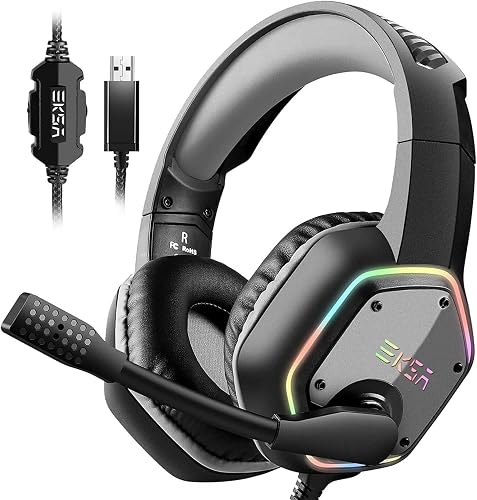
A gaming headset with the best mic quality picks up your voice clearly, cuts background noise and sounds natural to your teammates. You can get most of that result by understanding a few hardware factors, placing the mic correctly and tuning your software. This guide walks through what to check and how to test your setup.
Understand what makes a headset mic sound good
Mic quality comes down to the capsule, the pickup pattern and the boom arm. Most gaming headsets use a unidirectional electret condenser, which favors sound from directly in front of it. Detachable booms often include a noise-cancelling element that reduces keyboard clicks and fan noise. Manufacturers usually list a frequency response range, but that number says little about real-world clarity. Focus on how the mic is positioned and how the audio chain handles it.
Shopping for one? See our guide: 6 Best Low Cost Gaming Headset Picks: 6 Compared for Every Budget (2026). If you want more background, see Best Gaming Headsets for PC and Console: 5 Models Compared.
Check the factors that affect clarity
- Mic type: Detachable booms are common on gaming headsets and generally offer better placement control than fixed mics.
- Noise cancellation: Look for a boom described as noise-cancelling, which helps reject ambient room sound.
- Pickup pattern: A cardioid or unidirectional pattern focuses on your voice and cuts sound from the sides and rear.
- Connection type: USB headsets handle their own conversion, while analog headsets depend on your sound card or controller for input quality.
- Sample rate and bit depth: Settings in your audio software matter. Set your device to 48 kHz for typical gaming and voice use.
- Fit: A stable boom position keeps your mouth at a consistent distance from the capsule.
Position the mic and set up your audio
Placement often matters more than the headset itself. Follow these steps:
- Bend the boom so the tip sits about one to two finger-widths from the corner of your mouth, slightly below your lips.
- Keep the mic off your chin to avoid plosive pops, and angle it so breath does not hit the capsule directly.
- Open your operating system’s sound settings and select the headset as both input and output.
- Disable any “enhancements” or automatic gain control, then set input level so your normal speaking voice peaks around the halfway mark on the meter.
- Record a short test clip and listen back on your headset to check for hiss, echo and clipping.
Test and tune your mic in the real world
Use a voice chat app or recording tool to record yourself while typing and moving your mouse. If keystrokes dominate the recording, move the boom slightly lower or enable noise suppression in your app. If your voice sounds thin, move the mic a little closer. Re-test after every change, because small adjustments can make a noticeable difference.
Common mistakes
- Placing the boom too far from your mouth, which makes you sound distant and echoey.
- Setting input gain too high, which causes distortion on loud words.
- Leaving an audio “enhancement” enabled that colors or compresses your voice.
- Assuming a pricey headset will fix a poor room. Hard surfaces and fans add noise regardless of gear.
- Forgetting to mute the mic when you are not speaking to avoid background noise reaching your team.
Recommended gear
A few accessories can improve your results without replacing your headset:
- Pop filter or foam windscreen: Reduces breath pops on plosive sounds like “p” and “b”. View on Amazon
- Boom arm pad or extension: Helps maintain a consistent mic distance if your boom sits too far away. View on Amazon
FAQ
Is a USB or analog gaming headset better for mic quality?
USB headsets often provide consistent input because the built-in converter is matched to the mic. Analog headsets can sound just as good when paired with a quality sound card or controller.
Does noise cancellation on the mic remove all background noise?
No. It reduces steady sounds like fans and some typing, but loud or sudden noises still come through. Good placement and a quieter room help more than any single feature.
How can I check my mic quality before a match?
Record a short clip in your voice chat app or a free audio recorder and listen back on your headset. Check for echo, hiss and distortion, and adjust placement and levels if needed.
Conclusion
A gaming headset with the best mic quality is the one you position well, set up correctly and test regularly. Start with placement and input levels, then judge the hardware. For more options, compare picks in our guide to Gaming Headset Best Microphone: 3 Top Picks Compared for 2026.
Related reading
- What's a Good Gaming Headset? 7 Best Picks Compared for 2026
- Top 4 Computer Gaming Headset Microphone Options for Every Setup
- Recommended Gaming Headset PC: 5 Best Picks Compared for 2026
Ready to choose one?
About Colin Foster
Colin Foster is part of our editorial team and reviews and edits our headphone comfort & accessories + gaming headsets guides, checking product details against manufacturer specifications and owner feedback.