By Colin Foster
Updated November 2026
The best cheapest gaming headset for PC is the one that delivers clear chat audio, stays comfortable through long sessions, and connects reliably to your machine without hidden extras. This guide walks you through the specs and features that separate a solid budget headset from a disappointing one, so you can shop with confidence and skip the parts you do not need.
Step 1: Decide Your Connection Type First
Connection type narrows your options faster than anything else. Most budget gaming headsets use one of three setups, and each has tradeoffs.
Shopping for one? See our guide: 5 Best Headset Gamings for PC Picks for Every Setup in 2026.
- 3.5 mm wired (TRRS): Works with nearly any PC, but you may need a splitter if your motherboard has separate headphone and mic jacks. A Headphone Jack Adapter style splitter often solves this.
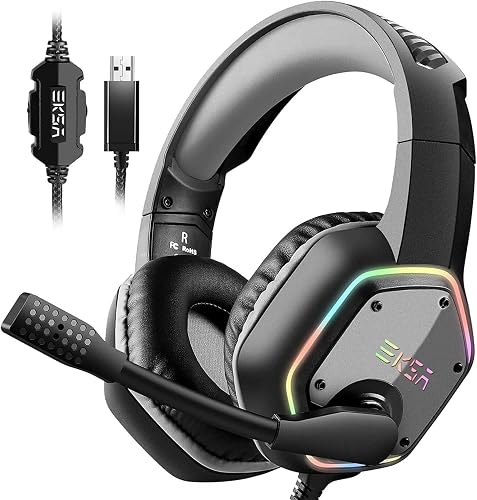
- USB wired: Often includes a built-in sound card, which can give you surround options and volume controls on the cable. Good for PCs with weak onboard audio.
- Wireless (2.4 GHz dongle or Bluetooth): Gives freedom of movement. Dongle-based models usually have lower latency than Bluetooth, which matters for competitive play.
If you are unsure which jack your PC uses, check the back panel. Pink is typically mic and green is headphone, but some boards use combo jacks that need a splitter.
Step 2: Check Comfort and Fit
A cheap headset that hurts after an hour is a bad deal no matter how low the sticker is. Look at these details:
- Clamping force: Many owners report that headsets with moderate clamp feel secure without squeezing the head. Very tight bands often cause headaches over long sessions.
- Ear cup material: Breathable fabric or memory-foam pads with soft leatherette tend to be more comfortable than hard plastic-lined pads in warm rooms.
- Weight: Lighter models, generally under about 300 grams, are easier to wear for extended periods. Manufacturers list weight on most product pages, so compare it directly.
- Adjustability: Sliding headbands and rotating ear cups help the headset fit a wider range of head sizes.
Step 3: Evaluate the Microphone
Your teammates hear your mic more than they hear your headphones, so mic quality matters. On budget models, look for a boom mic that is detachable or flips up to mute. Noise-cancelling mics reduce keyboard clatter and fan noise, which helps in voice chat. Some headsets use a fixed mic built into the cable, which is fine for casual play but usually picks up more background noise.
Step 4: Compare Sound Basics Without Chasing Specs
Budget drivers are rarely reference-quality, so focus on balance rather than bass numbers. Look for an open or semi-open design if you want a wider soundstage, and a closed design if you need to block outside noise. Manufacturers often publish driver sizes, commonly 40 mm, and frequency ranges. Treat frequency response claims with caution, since real-world performance depends on tuning more than on the numbers alone.
Quick comparison by use case
| Your priority | What to prioritize |
|---|---|
| Competitive shooters | Low-latency wired or dongle connection, clear mic |
| Long single-player sessions | Light weight, soft ear pads, breathable fabric |
| Shared apartment or noisy room | Closed-back design, noise-cancelling mic |
| Desk with limited ports | 3.5 mm model or USB model with inline controls |
Common mistakes to avoid
- Ignoring the jack type on your PC and buying a headset that needs an adapter you do not own.
- Choosing wireless when a wired model would meet your needs at lower complexity.
- Judging comfort from a short store demo instead of thinking about multi-hour use.
- Overlooking the mic, then getting complaints from your squad about background noise.
- Assuming a bigger driver number automatically means better sound.
Recommended gear
A headset splitter is useful if your PC has separate headphone and mic ports and your new headset uses a single combined plug. View on Amazon
A USB extension cable helps if your wired headset cord does not reach your seating position comfortably. View on Amazon
FAQ
Is a cheap gaming headset good enough for competitive play?
Often yes, as long as it has a clear mic and a stable connection. Latency from a wired or dongle connection is usually the factor that matters most in fast games.
Do I need a USB headset or a 3.5 mm headset for PC?
A 3.5 mm headset works with nearly any PC, while a USB model can offer better onboard audio processing. Choose based on whether your motherboard has good headphone and mic jacks.
How do I know if a budget headset will be comfortable?
Check the weight, the ear pad material and the headband adjustability. Reading owner reviews that mention long-session comfort can also help, though fit varies from person to person.
Conclusion
The best cheapest gaming headset for PC starts with the right connection type for your setup, then comes down to comfort and mic quality. Weigh those factors first, and you will avoid most of the regrets that come with low-cost gear. For a deeper comparison of current options, see Recommended Gaming Headset PC: 5 Best Picks Compared for 2026.
Related reading
- Pc Gaming Headset Best: 5 Best Picks Compared for Every Setup (2026)
- Best Gaming Headset Pc Cheap: 5 Factors and Picks That Matter (2026)
- 6 Best Headphone Jack Adapters for PC Splitters for Gaming Headsets (2026)
Ready to choose one?
About Colin Foster
Colin Foster is part of our editorial team and reviews and edits our headphone comfort & accessories + gaming headsets guides, checking product details against manufacturer specifications and owner feedback.