By Colin Foster
Updated November 2026
A wired headset for gaming is the simplest way to get reliable audio and voice chat without worrying about battery life or wireless interference. This list compares seven well-known models on the factors that matter most day to day: comfort over long sessions, sound profile, microphone clarity, connection options and how well each one works across PC and console. Product selections reflect manufacturer specifications and patterns in owner feedback.
Our top picks at a glance
- 1
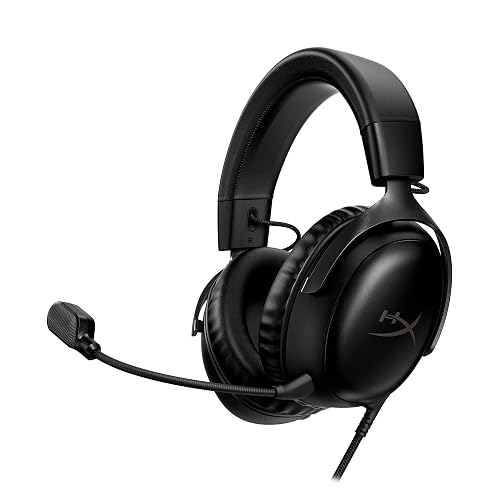 TOP CHOICEBest overallHyperX Cloud III Wired Gaming Headset for PC, PS5, PS4, Xbox Series X | SView on Amazon
- 2
 TOP CHOICEBest for competitive playRazer BlackShark V2 X Wired Gaming Headset with Mic for PC and PS5, BlackView on Amazon
- 3
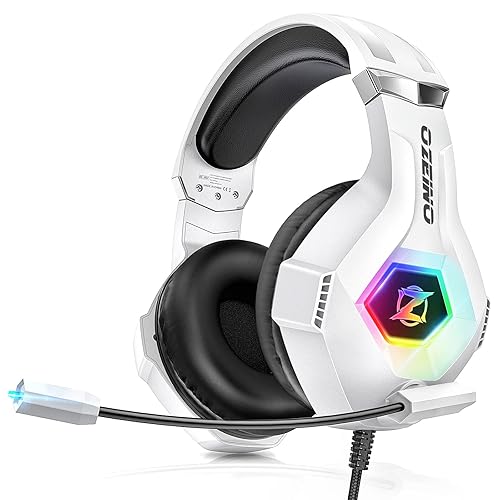 TOP CHOICEBest for budget setupsOzeino Gaming Headset for PC, Ps4, Ps5, Xbox with Noise Canceling MicView on Amazon
- 4
 Best for surround soundLogitech G432 Wired Gaming Headset – BlackView on Amazon
- 5
 Best for multi-platform useBENGOO G9000 Stereo Gaming Headset with Mic, LED LightView on Amazon
- 6
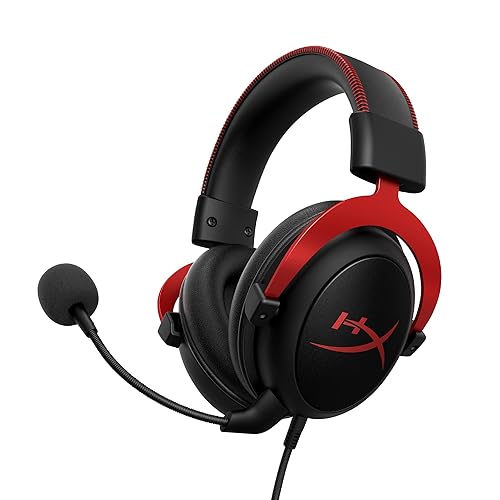 Best for a proven classicHyperX Cloud II Gaming Headset – 7.1 Surround Sound – Memory Foam EarView on Amazon
- 7
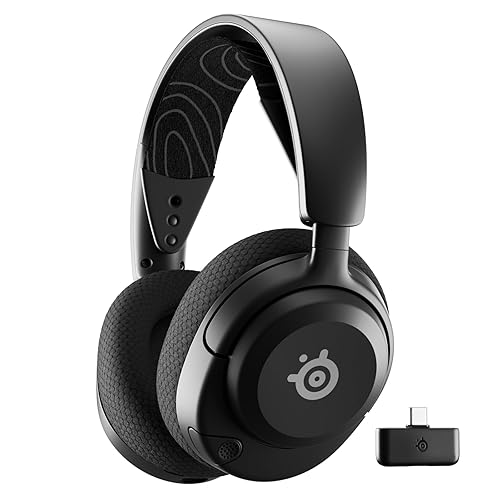
 Best for spatial audioSteelSeriesHi-Fi Drivers — 360° Spatial Audio — Comfort Design — LightView on Amazon
Our Top Picks
| Product | Best for | Key feature |
|---|---|---|
| HyperX Cloud III Wired Gaming Headset | Overall use | USB-C, USB-A and 3.5mm |
| Razer BlackShark V2 X Wired Gaming Headset | Competitive play | 50mm drivers, 240 g |
| Ozeino Gaming Headset | Budget setups | 7.1 surround, LED light |
| Logitech G432 Wired Gaming Headset | Surround sound | DTS Headphone:X 2.0 |
| BENGOO G9000 Stereo Gaming Headset | Multi-platform use | Noise-cancelling mic |
| HyperX Cloud II Gaming Headset | Proven classic | Memory foam ear pads |
| SteelSeries Arctis Nova 1P Multi-System Gaming Headset | Spatial audio | 360° spatial audio |
HyperX Cloud III Wired Gaming Headset for PC, PS5, PS4, Xbox Series X | S
HyperXUSB-C + USB-A + 3.5mm Connectivity | Memory Foam | Durable Frame | Ultra-Clear 10mm Mic Cloud III Wired Gaming Headset for PC, PS5, PS4, Xbox Series X | S
Best for: Overall use across several platforms
This suits players who switch between a PC and a console and want one headset that connects to both without adapters.
Pros
- USB-C, USB-A and 3.5mm connections cover most devices
- Memory foam ear pads are designed for extended wear
Cons
- The included cable length may feel short for couch setups
Razer BlackShark V2 X Wired Gaming Headset with Mic for PC and PS5, Black
TriForce Titanium 50 mm Drivers, HyperClear Cardioid Mic, 240 g Lightweight, Noise-Isolating Earcups, 3.5 mm, PS4, Switch Razer BlackShark V2 X Wired Gaming Headset with Mic for PC and PS5, Black
Best for: Competitive play where voice clarity matters
Players who prioritize directional cues and clear callouts in fast shooters will find this model’s focus on mic clarity useful.
Pros
- 50mm drivers and a 240 g frame keep the weight low
- Cardioid mic is designed to reduce background pickup
Cons
- The 3.5mm connection limits some advanced console features
Ozeino Gaming Headset for PC, Ps4, Ps5, Xbox with Noise Canceling Mic
Ozeino Gaming Headset for PC, Ps4, Ps5, Xbox Headset with 7.1 Surround Sound Gaming Headphones with Noise Canceling Mic, LED Light Over Ear Headphones for Switch, Xbox Series X/S, Laptop, Mobile White
Best for: Budget setups and first headsets
This is a practical option for players who want surround sound and a noise-canceling mic without spending heavily on a premium model.
Pros
- 7.1 surround sound is listed as a core feature
- Works across PC, console and mobile through standard jacks
Cons
- Build materials are lighter than premium headsets, which some owners note
Logitech G432 Wired Gaming Headset – Black
DTS Headphone:X 2.0, 50 mm audio drivers, USB and 3.5 mm jack, Flip-to-Mute mic, PC compatible Logitech G432 Wired Gaming Headset – Black
Best for: Surround sound with a flip-to-mute mic
Players who want immersive positional audio and a mic they can mute quickly will find this layout convenient.
Pros
- DTS Headphone:X 2.0 supports virtual surround on PC
- Flip-to-mute mic is easy to reach mid-match
Cons
- Surround features depend on software setup on some platforms
BENGOO G9000 Stereo Gaming Headset with Mic, LED Light
BENGOO G9000 Stereo Gaming Headset for PS4 PC Xbox One PS5 Controller, Noise Cancelling Over Ear Headphones with Mic, LED Light, 7.1 Surround Sound, Soft Memory Earmuffs for Nintendo Xbox Series X|S
Best for: Multi-platform use with a controller
This model targets players who move between consoles and PCs and want a headset with a mic built for voice chat across systems.
Pros
- Noise-cancelling mic is designed for clearer voice pickup
- Soft memory earmuffs are intended for comfort
Cons
- Some owners report the LED lighting is more of a novelty than a feature
Buying Guide
Comfort for Long Sessions
Gaming sessions often run for hours, so the way a headset sits on your head matters as much as its sound. Look for soft memory foam ear pads, a padded headband and a light overall weight. A headset that feels fine for twenty minutes can become tiring by the end of a long match, so comfort is worth prioritizing.
Sound Profile and Driver Size
Driver size and tuning shape how games sound. Many gamers prefer a balanced profile that makes footsteps and environmental cues easy to hear, while others want stronger bass for action and music. Surround sound features, whether virtual 7.1 or spatial audio, can help with directional awareness in competitive titles, though results vary by game and listener.
Microphone Quality and Noise Handling
If you play with friends or in team games, a clear microphone is essential. Detachable or flip-to-mute boom mics with cardioid pickup tend to isolate your voice better than built-in mics on some budget models. Noise cancelling features on the mic can also cut down on keyboard clicks and background noise during voice chat.
Connection Type and Platform Compatibility
Wired headsets typically connect through a 3.5mm jack, USB, or both. A 3.5mm plug is widely compatible with controllers, phones and laptops, while USB can offer extra features like virtual surround processing on a PC. Check that the headset works with the platforms you use most, whether that is PC, PlayStation, Xbox, Switch or mobile, since some models need an adapter or lack a chat cable for certain consoles.
FAQ
Do wired gaming headsets have lower latency than wireless ones?
Wired headsets generally avoid the wireless transmission delay that some wireless models introduce, which is why many players choose them for fast-paced games. Actual audio timing depends on the device and connection method you use. For most casual play the difference is small, but wired is a straightforward option for minimal lag.
Can I use a wired gaming headset on both PC and console?
Many wired headsets are designed for multiple platforms and include a 3.5mm connection that works with PC, PlayStation, Xbox and Switch controllers. Some consoles need a separate chat adapter or a specific cable for the microphone to function. Always check the platform list in the product details before buying.
Is a USB headset better than a 3.5mm headset?
USB headsets often include built-in sound processing and can offer virtual surround sound on a computer. A 3.5mm headset is more universal and works across controllers, phones and laptops without extra drivers. The better choice depends on whether you mainly play on PC or want one headset for many devices.
Do I need a headset with a noise cancelling microphone?
A noise cancelling microphone helps reduce background sounds like fans, keyboard typing or room noise, which makes your voice clearer to teammates. It is especially useful if you game in a shared or noisy space. If you play in a quiet room, a standard mic may be perfectly adequate.
How long do wired gaming headsets usually last?
Lifespan depends on build quality, how often the cable is bent or pulled, and how the headset is stored. Models with durable frames and replaceable cables or ear pads tend to last longer with regular use. Handling the cable gently and keeping the headset off the floor can help extend its life.
Conclusion
If you want a comfortable, all-around choice for mixed platforms and long sessions, the models with memory foam pads and flexible connectivity are a strong fit. Players focused on clear voice chat in team games should prioritize a quality microphone with noise handling, while those on a budget can find solid performance in simpler designs.
For PC-focused players who value surround sound and advanced audio features, a USB model with processing support is worth considering. Console players who mainly want easy setup can benefit from a reliable 3.5mm headset with a dependable boom mic.
Related reading
- Wireless Headset vs Wired Gaming: Which Should You Choose? (2026)
- Hyperx Cloud Ii Wired Gaming Headset (2026): Which Should You Choose?
- 7 Best Good Wired Gaming Headset Picks Compared for 2026
- Wireless Gaming Headset PlayStation: 6 Factors to Check Before You Buy (2026)
- Wireless Gaming Headset Computer Setup: A Step-by-Step Guide (2026)
- What's a Good Gaming Headset? 7 Best Picks Compared for 2026
- Top 6 Gaming Headsets with Cat Ears for Streamers and Casual Players
- Top 6 Best Bluetooth Gaming Headset Picks Compared for 2026
About Colin Foster
Colin Foster is part of our editorial team and reviews and edits our headphone comfort & accessories + gaming headsets guides, checking product details against manufacturer specifications and owner feedback.