By Colin Foster
Updated November 2026
A gaming headset for PlayStation needs to do more than sound good. It has to connect cleanly to PS5 or PS4, pick up your voice without fuss, and stay comfortable through long sessions. The picks below are ranked by how well they match those criteria: connection options, microphone design, clamp and padding, and the feedback owners most often share about each model.
Our top picks at a glance
- 1
 TOP CHOICEBest overallLogitech G733 Lightspeed Wireless Gaming Headset – BlackView on Amazon
- 2
 TOP CHOICEBest for wireless freedomTurtle Beach Stealth 600 Wireless Multiplatform Gaming Headset for PS5 & PCView on Amazon
- 3
 TOP CHOICEBest for wired simplicityHyperX Cloud III Wired Gaming Headset for PC, PS5, PS4, Xbox Series X|SView on Amazon
- 4
 Best for surround soundRazer BlackShark V2 X Wired Gaming Headset with Mic for PC and PS5, BlackView on Amazon
- 5
 Best for a budget pickOzeino Gaming Headset for PC, Ps4, Ps5, Xbox HeadsetView on Amazon
- 6
 Best for lights and value-focused setupsBENGOO G9000 Stereo Gaming Headset for PS4 PC Xbox One PS5View on Amazon
Our Top Picks
Quick Comparison
| Product | Best for | Key feature |
|---|---|---|
| Logitech G733 Lightspeed Wireless Gaming Headset | Best overall | Lightspeed wireless, suspension headband |
| Turtle Beach Stealth 600 Wireless Multiplatform Gaming Headset | Best for wireless freedom | Long battery, flip-to-mute mic |
| HyperX Cloud III Wired Gaming Headset | Best for wired simplicity | USB-C, USB-A and 3.5mm |
| Razer BlackShark V2 X Wired Gaming Headset | Best for surround sound | TriForce 50mm drivers |
| Ozeino Gaming Headset for PC, PS4, PS5 | Best for a budget pick | 7.1 surround, LED lights |
| BENGOO G9000 Stereo Gaming Headset | Best for lights and value-focused setups | Memory foam earmuffs, 7.1 sound |
Logitech G733 Lightspeed Wireless Gaming Headset – Black
Suspension Headband, Blue VO!CE Mic, PRO-G Audio, PC, PS5, PS4, Switch Compatible Logitech G733 Lightspeed Wireless Gaming Headset – Black
Best for: Best overall
This suits players who want wireless freedom with a stable connection and a headband that spreads weight evenly. Owners often praise the adjustable suspension design for long sessions.
Pros
- Lightspeed wireless connection
- Suspension headband distributes clamping pressure
Cons
- Requires charging on a regular schedule
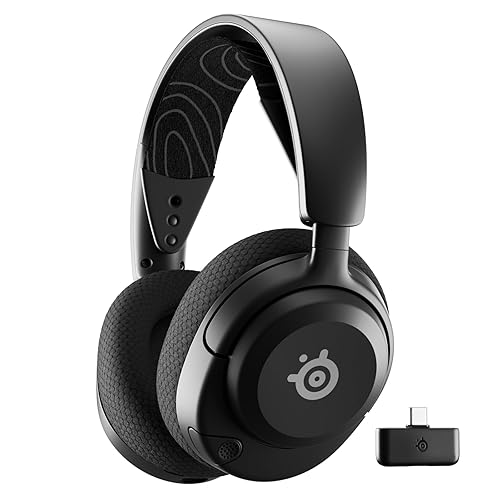
Turtle Beach Stealth 600 Wireless Multiplatform Gaming Headset for PS5 & PC
PlayStation, PS4, Bluetooth, 50mm Drivers, Rechargeable 80-Hr Battery, Noise-Cancelling Flip-to-Mute Mic, Memory Foam, White Turtle Beach Stealth 600 Wireless Multiplatform Gaming Headset for PS5 & PC
Best for: Best for wireless freedom
A good match for PlayStation players who want Bluetooth and a long battery between charges. Manufacturers specify roughly 80 hours of battery life.
Pros
- Rated for about 80 hours of battery life
- Flip-to-mute microphone
Cons
- Memory foam pads can run warm in hot rooms
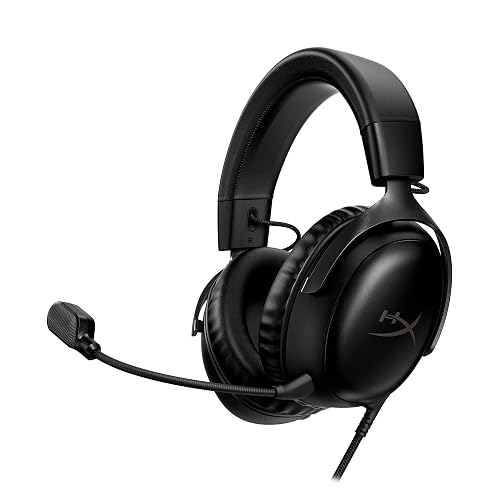
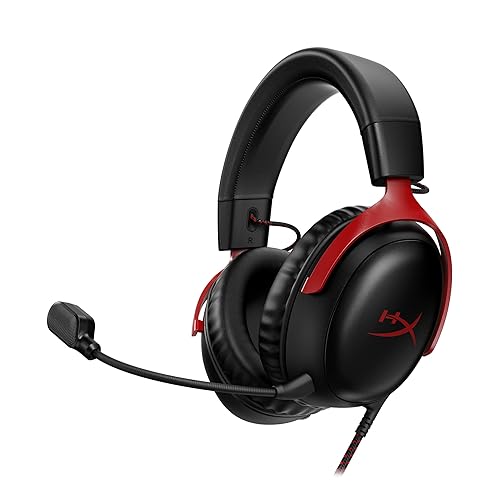
HyperX Cloud III Wired Gaming Headset for PC, PS5, PS4, Xbox Series X|S
HyperXUSB-C + USB-A + 3.5mm Connectivity | Memory Foam | Durable Frame | Ultra-Clear 10mm Mic Cloud III Wired Gaming Headset for PC, PS5, PS4, Xbox Series X | S
Best for: Best for wired simplicity
Players who want no charging and a direct connection will find this a practical choice. The USB-C, USB-A and 3.5mm options cover most PlayStation setups.
Pros
- Three connection options including 3.5mm
- Memory foam ear cushions
Cons
- Cable limits how far you can move from the console
Razer BlackShark V2 X Wired Gaming Headset with Mic for PC and PS5, Black
TriForce Titanium 50 mm Drivers, HyperClear Cardioid Mic, 240 g Lightweight, Noise-Isolating Earcups, 3.5 mm, PS4, Switch Razer BlackShark V2 X Wired Gaming Headset with Mic for PC and PS5, Black
Best for: Best for surround sound
Competitive players who rely on directional audio will appreciate the 50mm TriForce drivers. The cardioid mic is designed to reject background noise.
Pros
- 50mm TriForce drivers
- Lightweight at about 240 g
Cons
- Earcups can feel snug for some head shapes
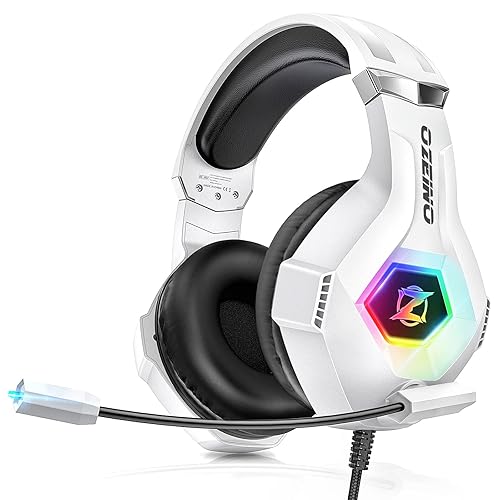
Ozeino Gaming Headset for PC, Ps4, Ps5, Xbox Headset
Ozeino Gaming Headset for PC, Ps4, Ps5, Xbox Headset with 7.1 Surround Sound Gaming Headphones with Noise Canceling Mic, LED Light Over Ear Headphones for Switch, Xbox Series X/S, Laptop, Mobile White
Best for: Best for a budget pick
A sensible starting point for players who want a headset with LED lighting and a noise-canceling mic without spending heavily. Owners often mention the soft earmuffs as a comfort plus.
Pros
- 7.1 surround sound profile
- LED lighting on the earcups
Cons
- Build feels lighter than premium models
BENGOO G9000 Stereo Gaming Headset for PS4 PC Xbox One PS5
BENGOO G9000 Stereo Gaming Headset for PS4 PC Xbox One PS5 Controller, Noise Cancelling Over Ear Headphones with Mic, LED Light, 7.1 Surround Sound, Soft Memory Earmuffs for Nintendo Xbox Series X|S
Best for: Best for lights and value-focused setups
This model suits players who want a bold look and multi-platform compatibility on a modest budget. The soft memory earmuffs are a common talking point among owners.
Pros
- Soft memory foam earmuffs
- Works across PlayStation, PC and Xbox
Cons
- Mic clarity varies with placement
Buying Guide
Connection Type: Wireless, Wired, or Both
Wireless headsets give you freedom to move around the room, but they depend on a battery and a dongle or Bluetooth link that must stay in range. Wired headsets are simpler and never need charging, which makes them a practical choice if you play in one spot and want fewer things to manage. Check whether a headset supports the connection method your PlayStation console uses, since some models need an adapter or a 3.5mm port on the controller.
Microphone Design and Voice Clarity
Boom microphones that flip up to mute are common and easy to use, while some models include a detachable mic for a cleaner look when you are not chatting. Cardioid or noise-canceling mics help reduce background sound from keyboards, fans, or a roommate. If you plan to talk with teammates often, a mic with clear, consistent pickup matters more than almost any other feature.
Comfort, Clamp, and Padding
Long sessions expose any weakness in the headband and earcups quickly. Look for soft memory foam or plush padding and a clamp force that holds the headset in place without pressing too hard on your head. Lighter weight also helps, especially for players who wear a headset for hours at a time.
Sound Profile and Surround Support
Many gaming headsets advertise surround sound, which can help with directional cues in shooters and open-world games. Some models use virtual surround processing, while others rely on a USB adapter or the console’s own audio settings. Choose a sound profile that fits your favorite games, and remember that comfort and mic quality will affect your experience just as much as the audio specs.
Compatibility and Extra Features
Confirm that the headset works with your specific PlayStation model and with any other devices you use, such as a PC, Switch, or phone. Features like flip-to-mute, LED lighting, long battery life, and easy volume controls can add convenience, but they should support your playstyle rather than drive the decision on their own.
FAQ
Do these headsets work with both PS5 and PS4?
Many of the models on this list are listed as compatible with both PS5 and PS4, but compatibility can depend on the connection method. Check the product details for the specific PlayStation model and whether a wired or wireless connection is required. Always confirm before buying if you use both consoles.
Do I need a wireless dongle for a PlayStation headset?
Wireless headsets that use a USB dongle usually need it for a stable connection to the console. Some models also offer Bluetooth or a 3.5mm cable as a backup option. Make sure you know which connection your chosen headset requires.
Can I use a gaming headset for voice chat on PlayStation?
Yes, most gaming headsets with a built-in microphone will work for party and game chat on PlayStation. Set the input and output devices in the console’s audio settings after connecting. If the mic is not picked up, check the mute switch and the connection type.
Is a wireless headset worth it for PlayStation?
A wireless headset is worth considering if you want freedom of movement and fewer cables on your desk. You will need to charge it regularly, and battery life varies by model. If you prefer no charging and a simple setup, a wired option may suit you better.
How do I know which headset is most comfortable?
Comfort depends on your head size, how long you play, and whether you wear glasses. Look for soft padding, an adjustable headband, and a lighter overall weight. Reviewing the clamp and earcup design in the product details can give you a good sense of fit before you buy.
Conclusion
If you want a wireless option with a strong all-around feature set, the Logitech G733 and Turtle Beach Stealth 600 are the models to consider. Players who prefer a simple, dependable wired setup for PlayStation may find the HyperX Cloud III or Razer BlackShark V2 X a good fit.
For budget-minded shoppers who want extra features like LED lighting or a flexible mic, the Ozeino and BENGOO G9000 offer broad compatibility. Match your choice to your connection preference, how often you chat, and how long you usually play.
Related reading
- Wireless Gaming Headset PlayStation: 6 Factors to Check Before You Buy (2026)
- Wireless Headset vs Wired Gaming: Which Should You Choose? (2026)
- Wireless Gaming Headset Computer Setup: A Step-by-Step Guide (2026)
- What's a Good Gaming Headset? 7 Best Picks Compared for 2026
- Top 6 Gaming Headsets with Cat Ears for Streamers and Casual Players
- Top 6 Best Bluetooth Gaming Headset Picks Compared for 2026
About Colin Foster
Colin Foster is part of our editorial team and reviews and edits our headphone comfort & accessories + gaming headsets guides, checking product details against manufacturer specifications and owner feedback.