By Claire Whitaker
Updated November 2026
An airline headphone adapter 3-pin lets you plug your own wired headphones into the armrest socket on many in-flight entertainment systems. This guide shows you how to confirm your seat has a 3-pin jack, choose the right adapter, and connect it without losing sound. Most of the work is checking the plug type before you board.
Confirm Your Seat Uses a 3-Pin Jack
Not every airline uses the same socket. Many older or regional aircraft use a 2-prong jack, while some seats use a 3-pin or three-conductor design that carries stereo audio plus a microphone or control signal. Look at the armrest or seatback panel and count the openings before you pack. If you are unsure, check your airline’s seat map or in-flight entertainment page, or ask the crew once you are seated. Our guide to the Airline Headphone Adapter 3 Prong: How to Choose and Use One covers the same jack type in more detail.
Shopping for one? See our guide: Two Prong Headphone Adapter: 7 Best Picks for Airline Flights (2026).
Choose the Right Adapter for Your Headphones
An airline headphone adapter 3-pin connects your headphone cable to the seat jack, so the adapter has to match two things: the seat socket and your headphone plug. Most standalone headphones use a 3.5 mm plug, so you will usually need an adapter with a 3.5 mm female input and a 3-pin output. Check the connector size on your headphone cable, since 1/4-inch plugs need a different adapter. If you travel often, a multi-plug adapter that includes several connector types can cover more seats without extra purchases.
Connect and Test Before Takeoff
Testing on the ground saves you from troubleshooting at 35,000 feet. Use this sequence:
- Plug the adapter into your headphones first, then insert the 3-pin end into the seat jack.
- Turn the entertainment system on and select an audio channel.
- Play a track with clear left and right stereo content and listen to both sides.
- Adjust the volume at the source and on the headphones, not only at the seat controls.
- If you hear nothing, push the plug firmly until it clicks and try again.
Checklist before you fly
- Seat jack type confirmed (2-prong, 3-pin, or other)
- Adapter matches your headphone plug size
- Headphones charged or cable intact
- Spare adapter packed in carry-on
- Audio tested on the ground if possible
Common Mistakes to Avoid
- Assuming all seats use the same jack. Check each flight, since aircraft configurations change.
- Forcing a plug into the wrong socket, which can bend pins or damage the jack.
- Skipping the stereo test. Mono sound or one silent earcup usually means a loose or wrong-size connection.
- Packing the adapter in checked luggage, where it can get lost.
- Using a cheap adapter with loose connections, which often causes crackling or intermittent audio.
Recommended Gear
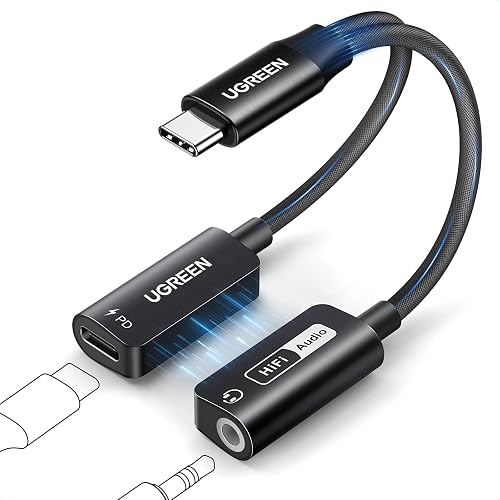
A solid adapter keeps the connection stable through turbulence and cabin movement. Consider a View on Amazon that is labeled for in-flight use, since these are designed around the seat jack dimensions. Pair it with a short View on Amazon if the seat jack sits far from your armrest. A small zippered pouch, such as a View on Amazon, keeps the adapter from getting lost in your bag.
FAQ
Will an airline headphone adapter 3-pin work with any headphones?
It works with any headphones that have a 3.5 mm plug or a compatible connector, as long as the adapter’s input matches. Noise-canceling headphones may need their battery charged or the cable connected to hear full audio.
Why is there sound in only one earcup?
This usually means the plug is not fully seated or the adapter has a loose contact. Push the connection in until it clicks, and check whether the adapter is the correct size for your headphones.
Do I need to bring my own adapter?
Many airlines provide headphones, but few supply adapters for personal headphones. Bringing your own adapter is the most reliable option, since you control its quality and fit.
Conclusion
An airline headphone adapter 3-pin makes personal headphones usable on many flights, provided the connector sizes match. Confirm your seat’s jack type, test the connection on the ground, and keep a spare adapter in your carry-on. A few minutes of preparation prevents most in-flight audio problems.
Related reading
- Airline Headphone Adapter 2-Prong to 1 Pin: How to Choose and Use One
- 6 Best Deluxe International Airline Headphone Adapters for Flights (2026)
Ready to choose one?
About Claire Whitaker
Claire Whitaker is part of our editorial team and reviews and edits our headphone comfort & accessories + gaming headsets guides, checking product details against manufacturer specifications and owner feedback.