By Claire Whitaker
Updated November 2026
An airline headphone adapter 3 prong lets you plug your own wired headphones into the older three-pin audio jacks found on some airline seats. This guide shows you how to check which jack your seat uses, choose the right adapter, and connect it without damaging your headphones or the seat port. Most of the work is identifying the jack type before you board.
Step 1: Identify the Jack on Your Seat
Airline seat audio jacks come in several formats. Some use a single 3.5 mm plug, while others use a two-prong or three-prong connector that predates the common stereo jack. Look at the armrest or seatback panel near the entertainment port, then check the airline’s seat map or in-flight entertainment information for the audio connector type. If the jack has three distinct contact points on a plug, you will need a three-prong adapter.
Step 2: Choose a Matching Adapter
An airline headphone adapter 3 prong is designed to convert a standard 3.5 mm headphone plug into the three-pin format used on certain seats. Before buying, confirm that the adapter’s pin arrangement matches the jack. A mismatched adapter may produce only one channel, no sound, or distorted audio. Some travelers also keep a separate two-prong adapter in their bag, since airlines use different systems on different aircraft.
Step 3: Connect and Test Before Takeoff
Plug the adapter into the seat jack first, then insert your headphones into the adapter. Turn on the entertainment system and play a short audio track to confirm both left and right channels are working. Adjust the volume on the seat control and on your device. Testing on the ground, before the cabin crew begins service, gives you time to try another adapter if something is wrong.
What You Will Need
- Your wired headphones with a standard 3.5 mm plug
- An airline headphone adapter 3 prong that matches your seat jack
- A photo or note of the jack type from the airline’s seat information
- A short test audio file saved offline on your device
Quick Reference: Jack Types
| Jack Type | What to Look For | Adapter Needed |
|---|---|---|
| Standard stereo | Single 3.5 mm or 1/4-inch opening | Usually none |
| Two-prong | Two contact points on the plug | Two-prong adapter |
| Three-prong | Three contact points on the plug | Airline headphone adapter 3 prong |
Common Mistakes and Tips
- Do not assume every airline uses the same jack. Check before each trip.
- Avoid forcing a plug into a jack that does not fit smoothly.
- Test the adapter before the flight, not after the seat belt sign is off.
- Carry a spare adapter in your carry-on, since seat ports can be unreliable.
- Keep your device volume moderate, because seat jacks sometimes output more power than expected.
Recommended Gear
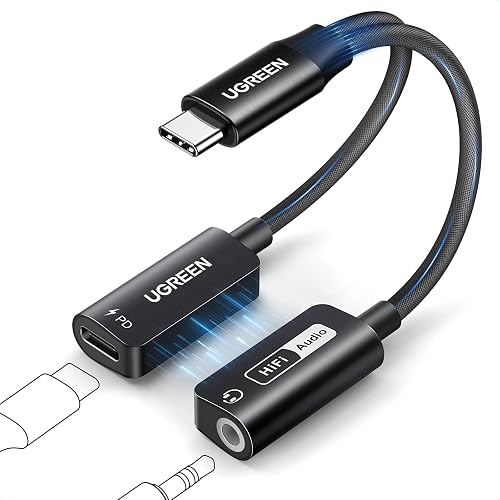
A compact headphone adapter that stays on your keychain makes it easier to carry a backup. Owners often report that a short cable keeps the adapter from pulling on the seat port during sleep. If you plan to use the same setup often, a small headphone storage case helps protect the adapter and headphone plug from crushing in luggage.
- A compact 3.5 mm headphone adapter that fits in a coin pocket: View on Amazon
- A short extension cable for seat jacks: View on Amazon
- A hard-shell headphone case for travel: View on Amazon
For more background, see Airline Headphone Adapter 2-Prong to 1 Pin: How to Choose and Use One, which covers a related jack type, and Two Prong Headphone Adapter: 7 Best Picks for Airline Flights (2026) for a comparison of options.
FAQ
Do I need an airline headphone adapter 3 prong if my headphones have a standard plug?
Yes, if the seat jack has three contact points. Your standard 3.5 mm plug will not connect properly to a three-pin jack without the adapter.
Can I use a 3 prong adapter on any airline?
Not always. Airlines and aircraft types use different jacks, so check the seat information for your specific flight.
Why is only one side of my headphones working?
This usually means the adapter does not match the jack’s pin layout or the plug is not fully seated. Try reseating the plug, then test a different adapter if the problem continues.
Conclusion
An airline headphone adapter 3 prong works well when you match it to your seat’s jack type before you fly. Identify the connector, test your setup on the ground, and carry a spare for reliability. A few minutes of preparation usually means clear audio for the whole flight.
Related reading
- 5 Best 2 Prong Headphone Adapters for Airline Flights (2026)
- 6 Best Deluxe International Airline Headphone Adapters for Flights (2026)
Ready to choose one?
About Claire Whitaker
Claire Whitaker is part of our editorial team and reviews and edits our headphone comfort & accessories + gaming headsets guides, checking product details against manufacturer specifications and owner feedback.